Community Collaborative Rain, Hail, and Snow Network
CoCoRaHS HCMN Project 803
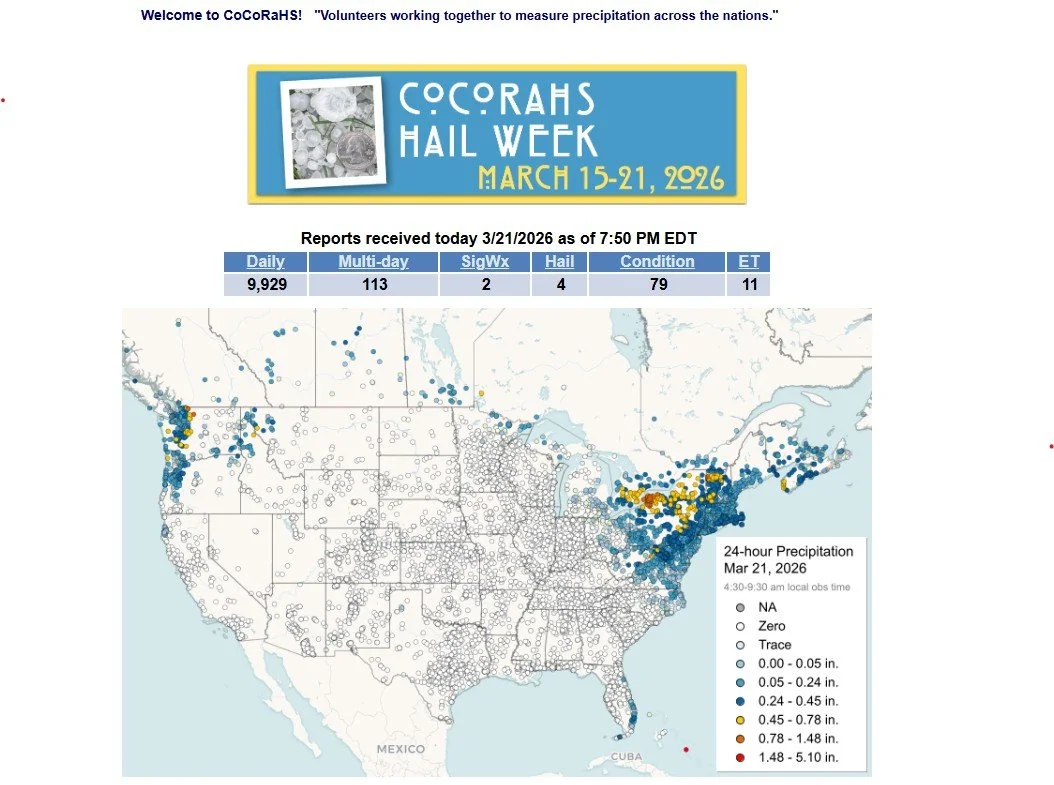
Image from https://www.cocorahs.org/
John Kluth
The Community Collaborative Rain, Hail, and Snow Network, commonly referred to as CoCoRaHS, is a unique, non-profit, community-based network of volunteers of all ages and backgrounds working together to measure and map precipitation (rain, hail, and snow).
CoCoRaHS started in 1998 and has participation in all 50 states, Canada, and the Bahamas. https://www.cocorahs.org/ The collection of precipitation data by citizen scientists across this expansive geography provides many sources and locations of data for scientific analysis and trending.
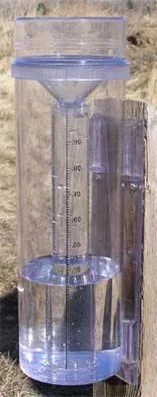
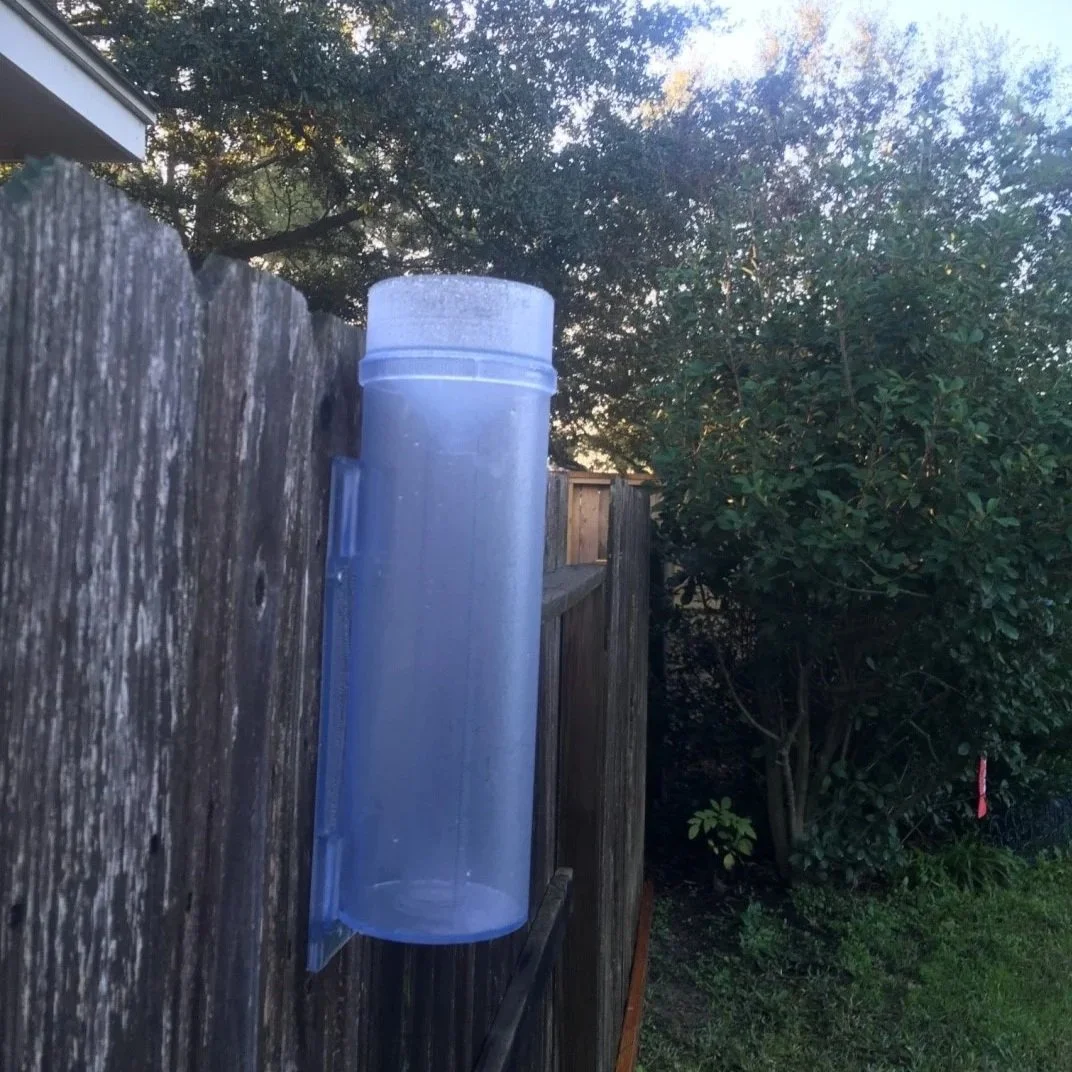
To be a CoCoRaHS volunteer, a specially designed, calibrated 4-inch diameter rain gauge is required. It has a capacity of up to 11 inches of rainfall. The CoCoRaHS rain gauge, shown in the photos here, may be purchased from the website.
To begin logging observations, volunteers need to register on the CoCoRaHS website for a User ID and password. You may also download an app to your smartphone, which is a fast, easy way to log observations (see the photos below).
When you receive your rain gauge, it’s important to follow the instructions on where to locate and install it, so you minimize any chances of rainfall not reaching the gauge.
Hays County Master Naturalist Rainfall Project 803
Hays County Master Naturalist (HCMN) Rainfall Observation and Reporting Project #803 utilizes the CoCoRaHS system and gives HCMNs volunteer hour credit for participating and logging data. Through this program, master naturalists can look at their recorded historical data on the CoCoRaHS website. For example, TX-152-HYS is John Kluth’s recorded data.
For Hays County Master Naturalists, the maximum amount of volunteer time allowed per month for this project is 2.5 hours (based on an estimated 5 minutes per day for observing and logging daily data). Log only the actual amount of time you spend, capped at 2.5 hours, for each month of your observations.
If you miss some days due to being out of town or for other reasons, utilize a Multi-Day Report for logging data across multiple days, but only log 5 minutes of time to do so.
You are encouraged to log your rainfall amount EVERY DAY, even when there is no precipitation to be recorded. There will be many days with a zero amount logged here in Central Texas; however, that data is critical to the CoCoRaHS project.
The photos below show the steps for logging in on the CoCoRaHS phone app.
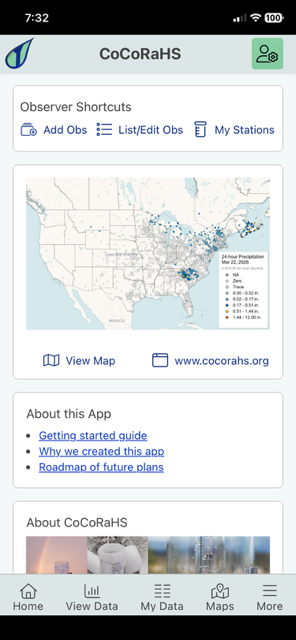
1 - After logging in on your phone, you will land here. Select Add Obs to go to the next screen.
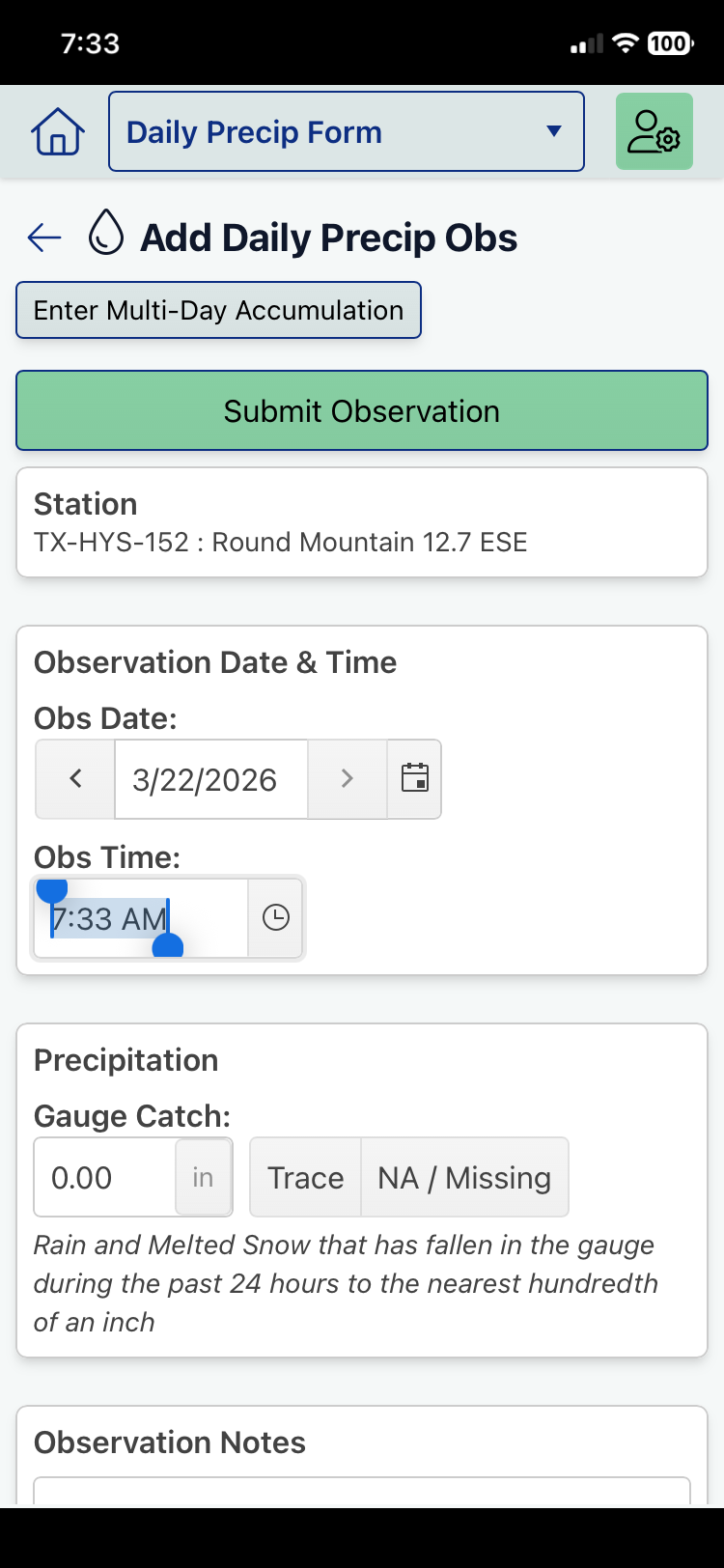
2 - Click on the clock icon to enter your Obs Time, then enter the rainfall/precipitation total for the prior 24 hours.
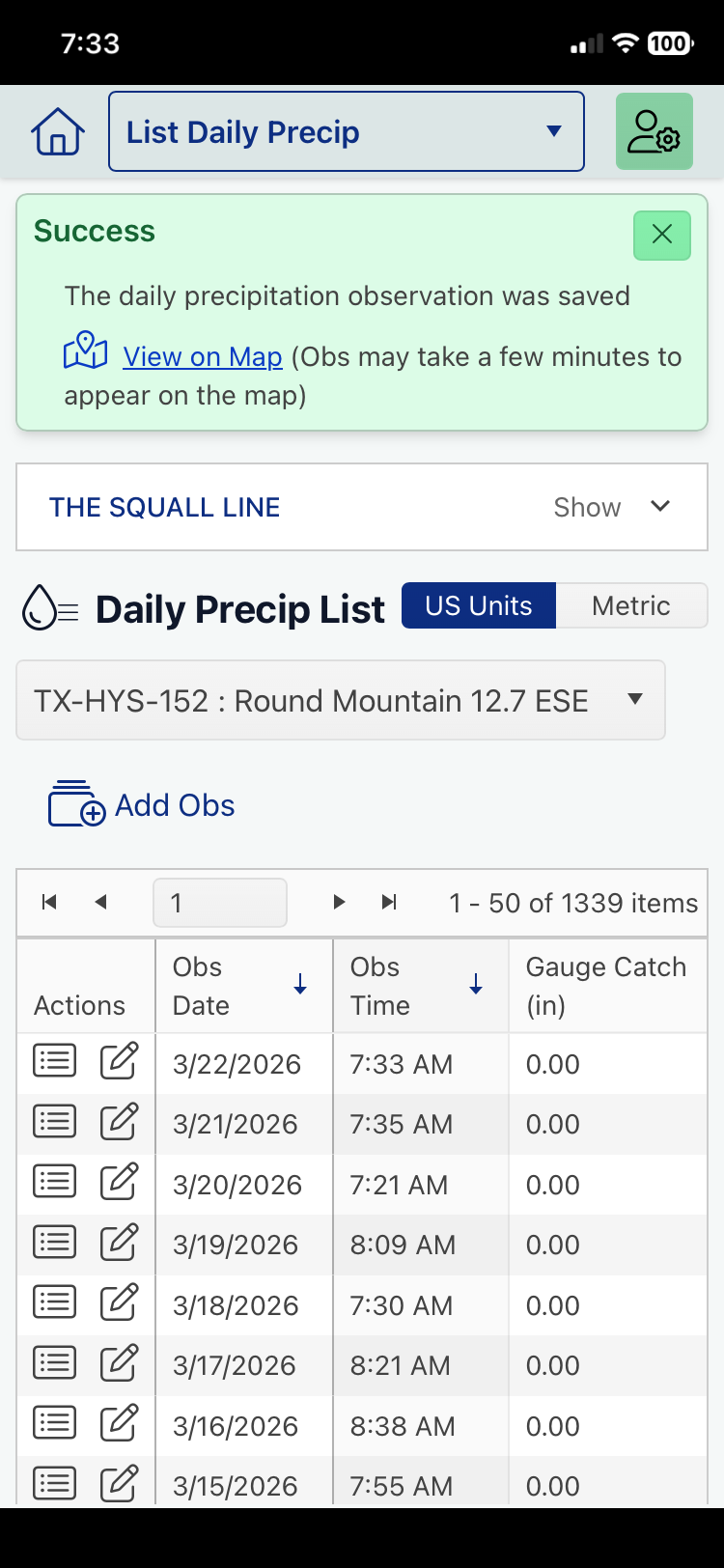
3 - This screen shows the running list of data logged for all prior days. Note that entries for zero precipitation are included.
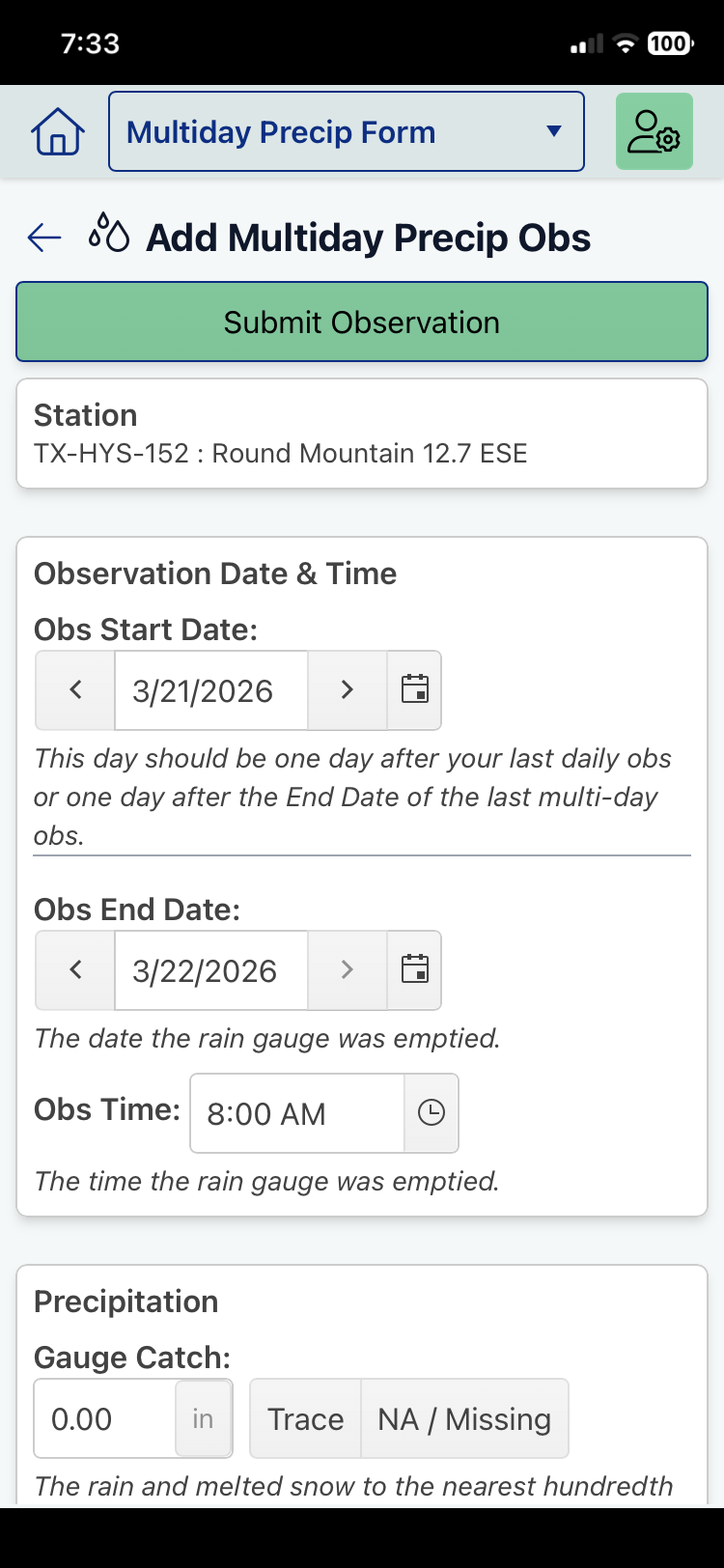
4 - If you are unable to record obs for several days in a row, you will use the Multiday Precip Obs screen shown here.
John Kluth is a Hays County Master Naturalist and project coordinator for Project 803. If you have questions, you may contact John here.